 services@aitchsoft.com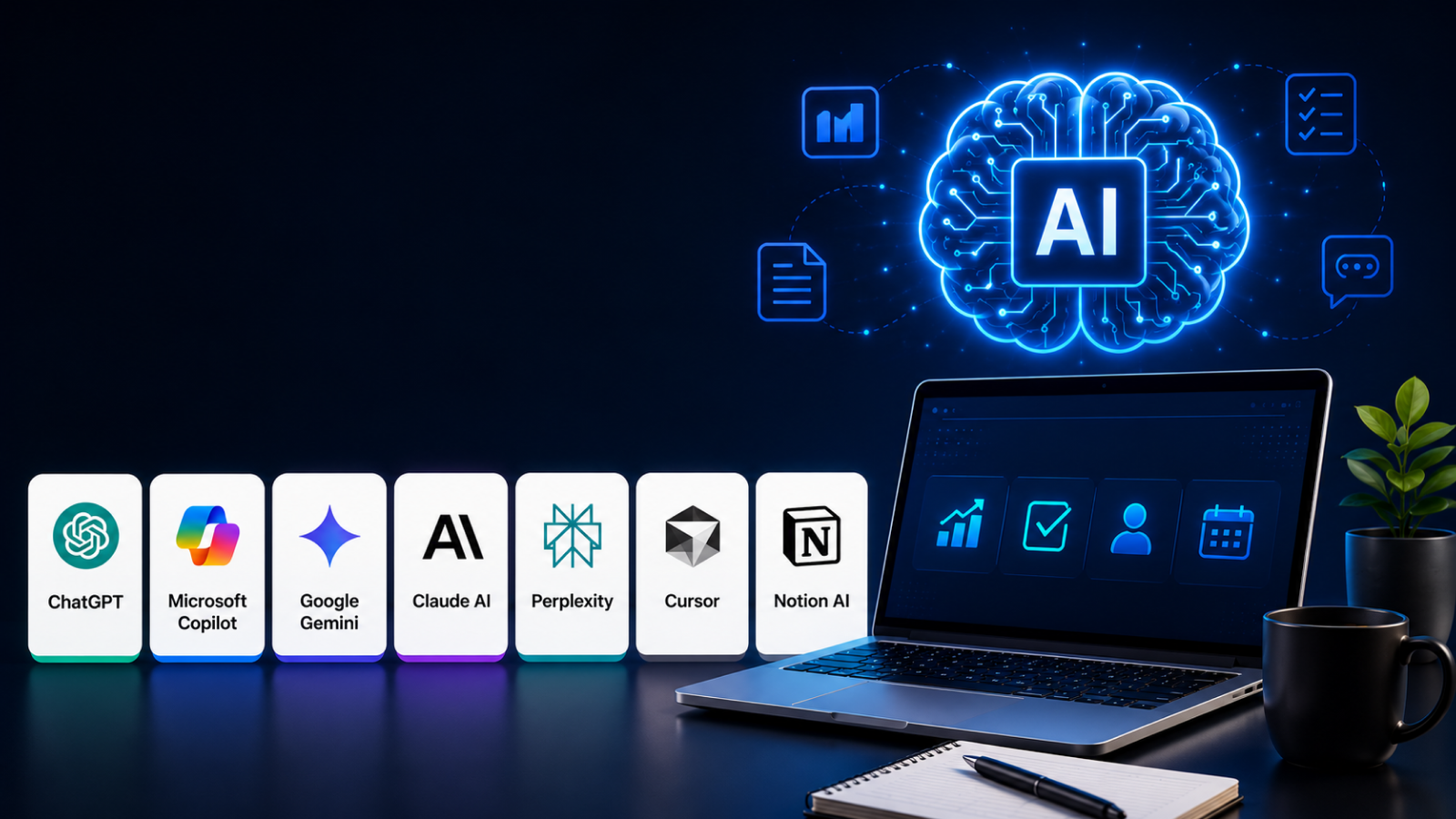
"You are not going to lose your job to AI. You are going to lose your job to someone who uses AI."
— Jensen Huang, Founder & CEO, NVIDIA
Introduction:
Every business leader has asked the same question at least once this year: How can we accomplish more without asking our teams to work longer hours?
For years, improving productivity meant hiring more people, investing in expensive software, or redesigning entire business processes. Today, the equation has changed.
Artificial intelligence is giving professionals something they have never had before—an intelligent assistant that can write, research, analyze, summarize, automate, and even generate ideas in seconds.
This isn't about replacing human expertise. It's about removing the repetitive work that often prevents people from focusing on what they do best.
Whether it's preparing meeting notes, drafting proposals, generating software code, organizing research, or answering customer questions, AI has become a practical tool that helps professionals spend less time on routine tasks and more time solving meaningful problems.
According to Microsoft's Work Trend Index, 90% of AI users say AI helps them save time, 85% say it allows them to focus on more important work, and 84% report that it boosts creativity in their daily tasks.
The pace of innovation has also accelerated dramatically. A few years ago, businesses experimented with AI through isolated use cases.
In 2026, AI is woven into everyday workflows. Marketing teams use it to create campaigns, software developers rely on it to write and review code, sales teams automate follow-ups, designers generate creative concepts, and executives use AI-powered insights to support faster decision-making.
Across industries, AI is no longer viewed as a competitive advantage for a select few—it's becoming a standard part of how modern organizations operate.
As more AI platforms enter the market, choosing the right one has become increasingly difficult. Some tools excel at writing and communication, while others focus on workflow automation, software development, project management, research, or team collaboration. Each promises to save time and improve efficiency, but not every platform is built for the same audience or business needs. Selecting a tool simply because it's popular can lead to unnecessary costs, fragmented workflows, and low adoption across teams.
That's why this guide goes beyond another "top AI tools" list. Instead of highlighting features alone, we'll examine how each platform performs in real-world business environments, where it creates the most value, and what type of user will benefit from it the most. Whether you're running a startup, leading a growing business, managing enterprise teams, or working independently, understanding these differences is essential before investing in any AI solution.
To help you make an informed decision, we've evaluated the top 7 AI productivity tools in 2026 based on their capabilities, ease of use, practical business applications, integrations, pricing, and overall impact on productivity. Rather than focusing on marketing claims, this guide emphasizes real use cases and actionable insights that you can apply immediately.
By the end of this guide, you'll understand which AI productivity tools are best suited for different workflows, how they compare with one another, and how to choose the right solution to improve efficiency, reduce repetitive work, and help your team work smarter in 2026 and beyond.
Why Businesses Are Using AI:
Artificial Intelligence (AI) has evolved from an emerging technology into a strategic business necessity.In 2026, businesses of every size use AI to save time, reduce costs, improve customer service, and grow faster.
Rather than replacing every employee, AI is helping businesses automate repetitive tasks while allowing people to focus on creativity, problem-solving, and strategic decision-making.
One of the primary reasons businesses are adopting AI is increased productivity. AI-powered tools can complete routine tasks such as data entry, scheduling, report generation, document analysis, and customer support in a fraction of the time it would take a human.
This aligns with findings from McKinsey & Company, which estimate that generative AI could add trillions of dollars in economic value annually by improving productivity across functions such as customer service, marketing, software engineering, and research and development.
Employees can automate time-consuming administrative work and dedicate more energy to high-value activities like innovation, relationship building, and business growth. This leads to faster workflows, improved accuracy, and better overall performance.
Another major advantage is cost reduction. AI enables organizations to streamline operations by minimizing manual processes and reducing human errors that often result in expensive mistakes. Intelligent automation helps companies optimize inventory management, predict equipment failures before they occur, and improve supply chain efficiency.
These operational improvements lower expenses while increasing profitability, making AI an attractive investment for businesses across industries.
Businesses are also embracing AI to deliver better customer experiences. Modern consumers expect quick responses, personalized recommendations, and 24/7 support. AI-powered chatbots, virtual assistants, and recommendation engines analyze customer behavior and provide tailored interactions in real time. Whether suggesting products based on previous purchases or answering support questions instantly, AI helps companies increase customer satisfaction, improve retention, and strengthen brand loyalty.
A significant benefit of AI is its ability to transform data into actionable insights. Every business generates vast amounts of information, but extracting meaningful patterns manually is nearly impossible. AI analyzes large datasets to identify trends, forecast demand, detect anomalies, and predict customer behavior.
Business leaders can use these insights to make faster, more informed decisions instead of relying solely on intuition. Data-driven decision-making improves planning, reduces risk, and enables organizations to respond quickly to changing market conditions.
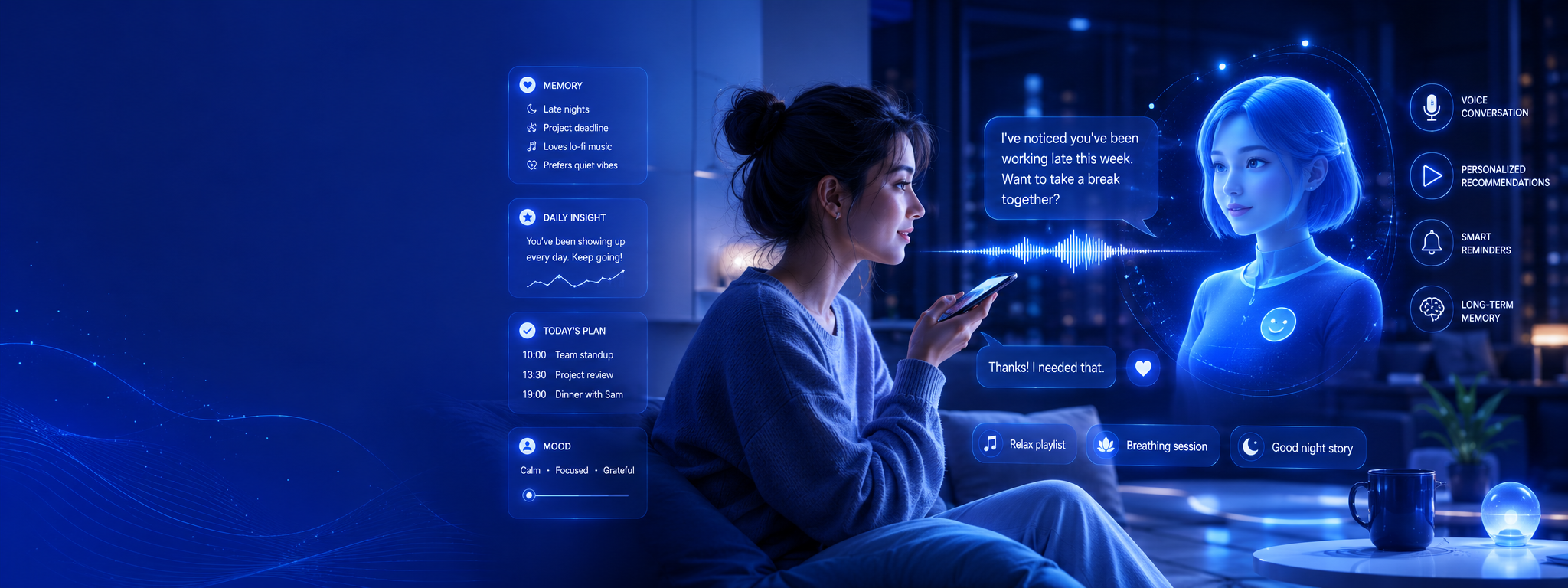
AI also improves marketing and sales by helping businesses find the right audience, personalize campaigns, optimize email marketing, and create better content. Sales teams use AI to identify high-value leads and forecast revenue more accurately. In 2026, technical breakthroughs such as AI companions with better emotional intelligence and memory are helping businesses deliver more personalized customer experiences. These improvements increase marketing performance, reduce costs, and boost return on investment (ROI).
Another reason for widespread AI adoption is enhanced cybersecurity and fraud detection. AI systems continuously monitor networks and transactions, identifying unusual patterns that may indicate cyberattacks or fraudulent activity. Unlike traditional security systems that rely on predefined rules, AI can adapt to new threats by learning from evolving attack patterns. This proactive approach helps businesses protect sensitive data, reduce financial losses, and maintain customer trust.
Ultimately, businesses are using AI because it delivers measurable value across every department. From automating operations and improving customer service to supporting smarter decisions and accelerating innovation, AI has become a powerful driver of business success. Companies that adopt AI strategically are better positioned to adapt to market changes, improve operational efficiency, and create long-term competitive advantages. As AI technology continues to evolve, its role in shaping the future of business will only become more significant.
How We Selected These Tools:
With hundreds of AI tools available today, choosing the right ones can be overwhelming. To create this list, we evaluated each tool using practical criteria that matter most to professionals, businesses, students, and content creators. Our goal was to recommend AI solutions that deliver real value, not just popularity.
First, we assessed features and capabilities. We prioritized tools that solve real-world problems, such as writing, coding, design, data analysis, customer support, and workflow automation. Tools offering unique AI capabilities, regular feature updates, and strong performance ranked higher in our evaluation.
Next, we considered ease of use. An AI tool should help users work faster—not require hours of training. We favored platforms with intuitive interfaces, clear documentation, and smooth onboarding, making them accessible for both beginners and experienced users.
We also evaluated accuracy and output quality. AI-generated content, insights, and recommendations must be reliable and consistent. Tools known for producing high-quality results with fewer errors received higher ratings than those requiring extensive manual corrections.
Pricing and overall value were another important factor. We compared free plans, premium subscriptions, and enterprise offerings to identify tools that provide strong functionality at a reasonable cost. The best AI tools deliver measurable productivity gains that justify their pricing.
To ensure our recommendations reflect real-world performance, we reviewed user feedback, industry reviews, and market adoption. Tools trusted by millions of users, recognized by leading technology publications, or widely adopted by businesses were given greater consideration. We also examined customer satisfaction, feature reliability, and ongoing product improvements.
Finally, we looked at security, privacy, and integrations. Businesses increasingly rely on AI to process sensitive information, so we prioritized tools with robust security practices, transparent privacy policies, and seamless integrations with popular platforms such as Google Workspace, Microsoft 365, Slack, Notion, GitHub, and CRM systems.
By combining expert analysis, industry research, product testing, and user feedback, we selected AI tools that stand out for their innovation, reliability, and practical value. Whether you're looking to automate routine tasks, enhance creativity, improve collaboration, or boost productivity, these recommendations represent some of the best AI tools available in 2026.
1. ChatGPT
Overview
ChatGPT is the world's most widely used AI-powered conversational assistant, designed to help users write content, answer questions, generate code, analyze documents, summarize information, brainstorm ideas, and automate everyday tasks. Built on OpenAI's Generative Pre-trained Transformer (GPT) models, ChatGPT has transformed how individuals and businesses interact with artificial intelligence.
OpenAI officially launched ChatGPT on November 30, 2022, and it quickly became one of the fastest-growing consumer applications in history, reaching millions of users within days. The platform is developed by OpenAI, an AI research company headquartered in San Francisco, California.
Founders & History
OpenAI was founded in 2015 by Sam Altman, Elon Musk, Greg Brockman, Ilya Sutskever, Wojciech Zaremba, John Schulman, and several other AI researchers. Their vision was to develop Artificial General Intelligence (AGI) that benefits humanity while making advanced AI accessible, safe, and useful.
ChatGPT was created to bridge the gap between complex AI models and everyday users. Before ChatGPT, interacting with large language models required technical expertise. OpenAI simplified the experience by introducing a conversational interface capable of understanding natural language, solving problems, and assisting with countless professional and personal tasks.
How It Works
ChatGPT is powered by OpenAI's GPT family of multimodal large language models, trained on vast amounts of publicly available and licensed text to understand context, generate human-like responses, and perform reasoning tasks.
Beyond simple conversations, ChatGPT integrates with tools such as Google Drive, Microsoft OneDrive, GitHub, Dropbox, Slack, Microsoft 365, APIs, and thousands of third-party applications. Users can upload PDFs, spreadsheets, presentations, and images, allowing the AI to summarize documents, analyze datasets, generate code, create images, and automate workflows.
Key Features
ChatGPT offers far more than conversational AI. It can generate blog articles, marketing copy, emails, business reports, and social media content within seconds. Developers use it to write, review, and debug code across dozens of programming languages. Students rely on it for explanations, research assistance, and study guides, while businesses automate customer support, document processing, and internal knowledge management.
Its multimodal capabilities allow users to upload files, interpret charts, analyze images, create presentations, generate visual content, perform data analysis, and even build custom AI assistants tailored to specific workflows.
Expert Opinion
ChatGPT has become one of the most influential AI productivity tools because it combines natural language understanding, multimodal capabilities, and a broad ecosystem of integrations into a single platform. Its ability to assist with writing, coding, research, data analysis, and workflow automation makes it a practical solution for individuals and businesses across industries. While users should verify AI-generated content for critical tasks, ChatGPT remains one of the most versatile and accessible AI assistants available in 2026.
Supporting Evidence: The 2026 Stanford AI Index Report highlights the rapid growth of generative AI adoption, significant improvements in model capabilities, and the increasing integration of AI into business workflows. These industry trends reinforce why tools like ChatGPT have become central to modern workplace productivity.
Performance & Market Position
ChatGPT remains the market leader in generative AI. It serves hundreds of millions of weekly active users worldwide and is used by organizations ranging from startups to Fortune 500 companies. OpenAI reports that ChatGPT became the fastest technology platform to reach major user milestones and continues to expand rapidly through consumer and enterprise adoption. The platform has earned widespread industry recognition for advancing conversational AI and has become the benchmark against which competing AI assistants are measured.
Revenue & Business Growth
Although OpenAI is privately held, its financial growth has been extraordinary. The company has reported revenue scaling from $1 billion within a year of ChatGPT's launch to approximately $2 billion in monthly revenue during 2026, driven by subscriptions, enterprise services, and API usage. OpenAI has also secured record-breaking funding and multi-hundred-billion-dollar valuations, making it one of the world's most valuable private technology companies. Its business model includes Free, Plus, Pro, Team, Enterprise, and API offerings for individuals and organizations.
Pros & Cons
Pros
- Extremely versatile across industries
- Fast, natural, and context-aware responses
- Supports text, images, files, and coding
- Extensive integrations and customization
- Suitable for both personal and enterprise use
Cons
- Can occasionally generate inaccurate information
- Some advanced features require paid plans
- Responses still benefit from human review for critical decisions
Pricing
ChatGPT offers a Free plan for everyday use, while Plus, Pro, Team, and Enterprise subscriptions provide higher usage limits, faster performance, advanced models, collaboration tools, and enhanced security for organizations.
Best Alternatives
Leading alternatives include Google Gemini, Microsoft Copilot, Claude, Perplexity AI, and Grok, each offering unique strengths in productivity, research, enterprise integration, or reasoning.
Who Should Use It?
ChatGPT is ideal for students, educators, entrepreneurs, software developers, researchers, marketers, customer support teams,
2. Claude
Overview
Claude is an advanced AI assistant developed by Anthropic, designed to help users write, analyze documents, generate code, conduct research, and automate knowledge work. Known for its strong reasoning abilities, large context window, and emphasis on AI safety, Claude has become one of the leading alternatives to ChatGPT for professionals and enterprises.
Anthropic introduced the first version of Claude in March 2023 after founding the company in 2021. Since then, Claude has evolved into a family of AI models—including Sonnet, Opus, and Haiku—optimized for different levels of performance, speed, and cost.
Founders & History
Anthropic was founded in 2021 by former OpenAI researchers, including Dario Amodei (CEO), Daniela Amodei (President), Jared Kaplan, Jack Clark, Chris Olah, Ben Mann, Sam McCandlish, and Tom Brown. The founders established Anthropic with the mission of building AI systems that are helpful, honest, harmless, and interpretable, placing AI safety at the center of product development.
Claude was created to solve a growing challenge in generative AI: businesses needed an AI assistant that could reliably process large documents, produce thoughtful responses, and reduce harmful or misleading outputs. Anthropic introduced its "Constitutional AI" approach to train Claude with guiding principles instead of relying solely on human feedback, making the model more reliable for enterprise use.
How It Works
Claude is powered by Anthropic's proprietary large language models, including the Claude Opus, Sonnet, and Haikufamilies. These models are optimized for reasoning, programming, document analysis, and long-context understanding.
Claude integrates with popular business platforms such as Google Workspace, Slack, GitHub, Amazon Bedrock, Google Cloud Vertex AI, and supports the Model Context Protocol (MCP), enabling organizations to connect Claude with internal knowledge bases, business applications, and external tools. Its core capabilities include long-document summarization, advanced reasoning, coding assistance, workflow automation, and enterprise knowledge retrieval.
Key Features
Claude is particularly recognized for its ability to process extremely large documents while maintaining context throughout long conversations. Legal firms analyze lengthy contracts, financial institutions summarize reports, and research organizations review scientific papers using Claude's long-context capabilities.
Developers use Claude Code to generate software, explain complex algorithms, review pull requests, and debug applications. Business teams rely on Claude to create reports, summarize meetings, draft proposals, automate documentation, and answer internal knowledge-base questions. Marketing teams generate high-quality blog posts, email campaigns, and product descriptions, while educators use Claude to explain difficult concepts and prepare learning materials.
Expert Opinion
Dario Amodei, CEO and Co-founder of Anthropic, has consistently emphasized that the future of AI depends on building systems that are both highly capable and trustworthy. This philosophy is reflected in Claude, which is designed to excel at reasoning, long-context understanding, and producing reliable responses for real-world professional tasks. For researchers, legal professionals, developers, consultants, and enterprise teams working with large volumes of information, Claude stands out as one of the strongest AI productivity tools available in 2026
Performance & Market Position
Claude has become one of the fastest-growing enterprise AI platforms. Anthropic reports serving more than 300,000 business customers, with adoption accelerating across software development, financial services, healthcare, education, and consulting. Claude is widely recognized as one of the strongest AI models for reasoning and coding and consistently ranks among the top performers on independent AI benchmarks. Its enterprise-first approach has positioned it as one of ChatGPT's most significant competitors.
Revenue & Business Growth
Anthropic has experienced remarkable growth. Recent reports indicate the company has reached approximately $47 billion in annualized revenue, driven primarily by enterprise subscriptions, API usage, and Claude Code adoption. Anthropic has also raised $65 billion in its latest funding round, reaching an estimated $965 billion valuation, making it one of the world's most valuable private AI companies. Claude is available through Free, Pro, Max, Team, Enterprise, and API pricing models for developers and organizations.
Benefits
Claude delivers value across many professions. Students use it to summarize textbooks, understand complex subjects, and improve academic writing. Businesses automate document review, customer support, research, and internal knowledge management. Developers accelerate coding, debugging, and software architecture using Claude Code. Marketers create SEO articles, advertising copy, and campaign strategies, while content creators use Claude to brainstorm ideas, write scripts, and edit long-form content with greater contextual consistency.
Pros & Cons
Pros
- Exceptional reasoning and long-context understanding
- Industry-leading document analysis
- Strong coding performance
- Enterprise-grade security and AI safety
- Excellent writing quality
Cons
- Some advanced features require paid plans
- Smaller consumer ecosystem than ChatGPT
- Availability of features may vary by region
Pricing
Claude offers a Free plan for individual users, while Pro, Max, Team, and Enterprise subscriptions provide higher usage limits, premium models, collaboration features, and enterprise-grade security. Developers can also access Claude through API-based pricing.
Best Alternatives
Top alternatives include ChatGPT, Google Gemini, Microsoft Copilot, Perplexity AI, and GitHub Copilot, each offering strengths in productivity, enterprise integration, coding, or AI-powered search.
Who Should Use It?
Claude is ideal for researchers, legal professionals, consultants, software developers, educators, enterprise teams, analysts, and anyone who regularly works with lengthy documents, technical writing, or complex reasoning tasks.
3. Google Gemini:
Overview
Google Gemini is Google's flagship AI-powered assistant, designed to help individuals and organizations write content, summarize documents, answer complex questions, generate code, analyze data, create images, and automate everyday workflows. Originally launched as Google Bard on March 21, 2023, the platform was officially rebranded as Google Gemini on February 8, 2024, reflecting Google's next generation of multimodal artificial intelligence. Developed by Google with research led by Google DeepMind, Gemini combines advanced language understanding with Google's extensive ecosystem to deliver a highly integrated productivity experience.
Founders & History
Although Google was founded in 1998 by Larry Page and Sergey Brin, Gemini is the result of decades of investment in artificial intelligence, machine learning, cloud computing, and search technologies. The project's AI research has been led by Google DeepMind, under the leadership of Sir Demis Hassabis, alongside renowned AI experts such as Jeff Deanand Koray Kavukcuoglu. Google's vision behind Gemini was to eliminate the need for users to constantly switch between multiple applications by creating a single AI assistant capable of understanding text, images, audio, video, code, and documents while seamlessly integrating with Google's products and services.
How Google Gemini Works
Google Gemini is powered by Google's family of multimodal large language models, including Gemini Flash, Gemini Pro, and advanced reasoning models designed for increasingly complex tasks. Unlike traditional AI chatbots that primarily process text, Gemini can understand and generate multiple forms of content, including images, documents, spreadsheets, presentations, and source code. Its deep integration with Google Workspace—including Gmail, Docs, Sheets, Slides, Drive, Meet, and Calendar—as well as Google Search, Android, Chrome, YouTube, Google AI Studio, and Vertex AI enables users to perform research, summarize information, write content, analyze data, translate languages, generate code, and automate workflows without leaving the Google ecosystem.
Key Features
Google Gemini functions as a comprehensive AI productivity assistant for both personal and professional use. Users can draft emails directly within Gmail, generate reports in Google Docs, analyze spreadsheets in Google Sheets, summarize meetings in Google Meet, and create presentations in Google Slides using natural language prompts. Developers can build AI-powered applications through Google AI Studio and Vertex AI, generate and debug code, and deploy enterprise-grade AI solutions. Businesses leverage Gemini to automate customer support, knowledge management, document processing, and internal workflows, while students use it for research, assignment assistance, and concept explanations. Marketers and content creators rely on Gemini to produce SEO-optimized articles, advertising campaigns, product descriptions, and creative content, while its multimodal capabilities allow users to analyze PDFs, images, charts, and presentations from a single conversational interface.
Performance & Market Position
Google Gemini has rapidly established itself as one of the world's leading AI productivity platforms. By mid-2026, the Gemini app had grown to approximately 950 million monthly active users, making it one of the strongest competitors to ChatGPT. Google has also reported significant enterprise adoption, with more than 120,000 organizations using Gemini services through Google Cloud, including many of the world's largest technology companies. Its rapid expansion has largely been driven by native integration across Google's products, which collectively serve billions of users worldwide, allowing Gemini to become a natural extension of existing workflows.
Revenue & Business Growth
Gemini has become an important driver of Google's broader artificial intelligence and cloud computing strategy. Industry estimates suggest that Gemini subscriptions generated approximately $1.2 billion in revenue during 2025, while enterprise adoption continues to accelerate through Google Cloud, Google Workspace, and Vertex AI services. Backed by Alphabet Inc., a company valued at more than $4 trillion, Gemini benefits from substantial long-term investment rather than relying on external funding. The platform is available through multiple offerings, including a Free plan, Google AI Pro, Google AI Ultra, Google Workspace AI, and Vertex AI enterprise services, enabling Google to serve individual users, businesses, and large organizations alike.
Benefits
Google Gemini provides value across a wide range of industries and user groups. Students can research topics, summarize notes, prepare assignments, and better understand complex subjects with AI-powered explanations. Businesses improve collaboration by automating repetitive tasks, generating reports, and streamlining communication across Google Workspace applications. Software developers benefit from intelligent code generation, debugging assistance, and API integration through Google AI Studio and Vertex AI. Marketers and content creators can produce SEO-friendly articles, email campaigns, social media content, and advertising copy more efficiently, while researchers and professionals use Gemini to analyze documents, organize information, and increase overall productivity.
Pros & Cons
Google Gemini's greatest strength lies in its deep integration with the Google ecosystem, making it particularly valuable for users already relying on Gmail, Google Docs, Sheets, Android, and Google Workspace. It also offers powerful multimodal capabilities, strong coding performance, enterprise-grade security through Google Cloud, and access to real-time information across Google's services. However, some advanced features require paid subscriptions, the best experience is achieved within Google's ecosystem, and enterprise-level functionality often requires familiarity with Google Cloud technologies.
Pricing
Google Gemini is available through a free plan for everyday AI assistance, while advanced capabilities are offered through Google AI Pro, Google AI Ultra, Google Workspace, and Vertex AI enterprise subscriptions. These paid plans provide access to more powerful AI models, higher usage limits, advanced collaboration features, enterprise security, and developer tools designed for professional and organizational use.
Best Alternatives
Several AI assistants compete directly with Google Gemini, including ChatGPT, Claude, Microsoft Copilot, Perplexity AI, and Grok. Each platform offers unique strengths, whether in conversational intelligence, enterprise productivity, coding assistance, AI-powered search, or reasoning capabilities. The best choice ultimately depends on the user's workflow, preferred ecosystem, and specific productivity needs.
Who Should Use Google Gemini?
Google Gemini is ideal for individuals and organizations already using Google products in their daily workflow. It is particularly well suited for Google Workspace users, students, educators, software developers, researchers, business professionals, enterprise teams, marketers, and content creators. Its deep integration with Gmail, Docs, Sheets, Drive, Meet, Android, and Google Cloud enables users to streamline everyday tasks and improve productivity. Google describes Gemini as an AI assistant designed to "supercharge your creativity and productivity" while integrating across the Workspace apps people use every day.
4.Microsoft Copilot: The AI Assistant Transforming Productivity Across Work, Education, and Business
Overview of Microsoft Copilot
Artificial intelligence has rapidly become a core part of how people work, learn, and create, and Microsoft Copilot stands at the forefront of this transformation.Developed by Microsoft, Copilot is an AI-powered assistant designed to help users accomplish everyday tasks more efficiently by integrating advanced generative AI directly into the applications they already use.
How Microsoft Copilot Works
First introduced through Bing Chat in February 2023 before expanding into Microsoft 365 later that year, Copilot has evolved into a comprehensive productivity platform that serves students, professionals, developers, marketers, and enterprises worldwide. Built on Microsoft's Azure AI infrastructure and powered by advanced large language models, including OpenAI's GPT models alongside Microsoft's own AI technologies, Copilot understands natural language, analyzes context, and generates intelligent responses within applications such as Word, Excel, PowerPoint, Outlook, Teams, Windows, Edge, and GitHub.
Rather than requiring users to switch between different tools, Copilot works seamlessly inside familiar software, making AI assistance available exactly where work happens.
Why Microsoft Built Copilot
Microsoft created Copilot to address one of the biggest challenges facing modern workplaces: the enormous amount of time employees spend on repetitive and manual tasks. Writing reports, replying to emails, analyzing spreadsheets, preparing presentations, searching for company information, and documenting meetings often consume hours every week.
Copilot significantly reduces this workload by automating these processes through conversational prompts. A user can simply ask Copilot to summarize a lengthy document, create a presentation from a report, draft professional emails, generate complex Excel formulas, analyze sales trends, or even produce meeting summaries complete with action items.
Because Copilot is connected to Microsoft Graph, it can securely access emails, calendars, documents, chats, and organizational knowledge—while respecting enterprise security and permission settings—to deliver highly personalized and context-aware assistance. This ability to combine generative AI with business data distinguishes Microsoft Copilot from traditional AI chatbots that rely only on public information.
Beyond office productivity, Microsoft Copilot delivers specialized capabilities for a wide range of users. Students can use it to summarize research papers, organize study notes, generate essays, translate content, and prepare presentations more efficiently.
Microsoft Copilot Use Cases Across Industries
Businesses benefit from faster decision-making, improved collaboration, and streamlined workflows across departments such as finance, marketing, sales, customer support, and human resources. Developers increase coding productivity through GitHub Copilot, which provides intelligent code suggestions, explains complex code, generates documentation, writes unit tests, and helps identify bugs.
Marketing teams use Copilot to create campaign strategies, social media content, SEO-optimized articles, advertising copy, and customer communications, while content creators rely on it to generate video scripts, blog posts, captions, and creative ideas in minutes.
As Microsoft continues expanding Copilot with custom AI agents, automation through Copilot Studio, and deeper enterprise integrations, the platform has become much more than a chatbot—it is an intelligent digital coworker. With millions of paid enterprise users already adopting the technology and continuous innovation across the Microsoft ecosystem, Microsoft Copilot is redefining how organizations and individuals approach productivity, collaboration, and AI-powered work, making it one of the most influential productivity platforms in the rapidly evolving artificial intelligence landscape.
5. Perplexity AI: Redefining Online Search with Conversational Artificial Intelligence
Overview of Perplexity AI
As artificial intelligence continues to reshape the way people access and consume information, Perplexity AI has emerged as one of the most innovative AI-powered search and research platforms available today.
Founded in 2022 by a team of former engineers and AI researchers from OpenAI, Meta, Google, and Quora, Perplexity AI was created with a simple but ambitious mission: to replace traditional search engines with an intelligent assistant that delivers direct, accurate, and source-backed answers instead of endless lists of web links.
Unlike conventional search engines that require users to browse multiple websites to find relevant information, Perplexity AI combines the capabilities of advanced large language models with real-time web search to generate conversational responses supported by reliable citations.
How Perplexity AI Delivers Fast, Accurate, and Source-Backed Answers
This unique approach allows users to ask complex questions in natural language and receive comprehensive, easy-to-understand answers while maintaining transparency through links to the original sources.
Whether researching academic topics, comparing products, analyzing industry trends, or staying updated on current events, Perplexity AI significantly reduces the time and effort required to find trustworthy information.
Perplexity AI was developed to solve one of the biggest challenges of the digital age—information overload. Every day, millions of users spend valuable time filtering through advertisements, SEO-optimized content, and multiple search results before finding accurate answers.
Perplexity AI eliminates this friction by acting as an intelligent research assistant that understands user intent, retrieves information from the web in real time, and summarizes the most relevant findings into a clear, conversational response.
Key Technologies and Features of Perplexity AI
Powered by advanced language models, including GPT, Claude, Gemini, and other leading AI systems available through its Pro platform, Perplexity continuously analyzes current web content to provide up-to-date information rather than relying solely on pre-trained knowledge.
One of its standout features is the inclusion of citations with nearly every response, enabling users to verify facts instantly and explore the original sources for deeper understanding. The platform also supports follow-up questions, allowing users to continue conversations naturally without repeating previous context, making research more interactive and efficient.
Beyond simple question answering, Perplexity AI serves as a powerful productivity tool for students, researchers, professionals, developers, marketers, journalists, and business leaders.
Students can simplify difficult concepts, summarize academic papers, and gather reliable references for assignments. Researchers benefit from rapid literature reviews and source discovery, while business professionals use the platform to monitor competitors, analyze market trends, and prepare reports in a fraction of the usual time.
Perplexity AI Use Cases and Business Applications
Developers rely on Perplexity to understand technical documentation, troubleshoot programming challenges, and compare software frameworks, while marketers use it to conduct keyword research, generate content ideas, and identify consumer trends backed by current online information.
With features such as file analysis, AI-powered search collections, image understanding, deep research capabilities, and collaborative workspaces, Perplexity AI has evolved far beyond a traditional search engine into a comprehensive knowledge platform.
As organizations and individuals increasingly seek faster, more accurate, and transparent access to information, Perplexity AI is redefining how people search, research, and learn. Its commitment to combining conversational AI with real-time, verifiable information has positioned it as one of the fastest-growing AI platforms and a compelling alternative to conventional search engines in the era of artificial intelligence.
6. Cursor AI: The AI-Powered Code Editor Transforming Modern Software Development
Overview of Cursor AI
Software development has evolved dramatically with the rise of artificial intelligence, and Cursor has quickly established itself as one of the most advanced AI-powered code editors available today.
Developed by Anysphere and launched in 2023, Cursor is an intelligent code editor built on top of Visual Studio Code (VS Code), designed to help developers write, edit, understand, and debug code faster than ever before. Unlike traditional code editors that simply provide syntax highlighting and basic autocomplete,
Cursor integrates state-of-the-art AI directly into the development workflow, enabling programmers to interact with their codebase using natural language. Developers can ask Cursor to explain complex functions, generate new features, refactor existing code, identify bugs, write unit tests, and even automate repetitive programming tasks without leaving the editor.
By combining powerful large language models from leading AI providers such as OpenAI, Anthropic, and Google with deep awareness of an entire project's codebase, Cursor delivers intelligent suggestions that understand the context of a complete application rather than just individual files. This contextual understanding makes it significantly more effective than traditional code completion tools, allowing developers to build high-quality software with greater speed, accuracy, and confidence.
How Cursor AI Simplifies Software Development
Cursor was created to solve one of the biggest challenges in software engineering: the increasing complexity of modern codebases and the amount of time developers spend on repetitive coding, debugging, documentation, and project navigation.
Large software projects often contain thousands of files, making it difficult for developers to understand relationships between different components or quickly locate the source of a problem. Cursor addresses this challenge through advanced AI-powered code search, intelligent chat, and contextual editing capabilities that allow developers to ask questions like "Where is user authentication implemented?", "Refactor this function for better performance," or "Create an API endpoint similar to this one." The AI analyzes the entire project, understands dependencies, and generates accurate, context-aware responses instead of generic code snippets.
Cursor also supports inline editing, multi-file modifications, smart code generation, automatic documentation, terminal assistance, Git integration, and debugging support, making it a comprehensive development environment rather than simply an AI chatbot for programmers.
Because it is built on the familiar VS Code interface, developers can continue using their favorite extensions, themes, shortcuts, and workflows while gaining the benefits of advanced AI assistance.
Cursor AI Use Cases and Key Capabilities:
Today, Cursor is widely adopted by individual developers, startups, enterprise engineering teams, and technology companies looking to improve development efficiency and code quality.
Front-end developers use Cursor to build responsive user interfaces more quickly, back-end engineers rely on it to create APIs and optimize server-side logic, while full-stack developers use it to accelerate end-to-end application development.
It supports virtually every major programming language, including JavaScript, TypeScript, Python, Java, C++, C#, Go, Rust, PHP, Ruby, and many others, making it suitable for a wide variety of software projects. Whether building web applications, mobile apps, cloud services, AI products, or enterprise software, Cursor helps reduce development time by automating routine tasks while enabling developers to focus on solving complex technical problems.
Why Cursor AI Is Shaping the Future of Programming
As artificial intelligence continues to reshape software engineering, Cursor has emerged as one of the fastest-growing AI coding tools by combining intelligent code generation, deep project awareness, natural language programming, and seamless developer experience into a single platform. Its ability to understand entire codebases, collaborate with developers in real time, and accelerate every stage of the software development lifecycle makes Cursor one of the most influential AI-powered code editors shaping the future of programming.
Expert Opinion
According to Michael Truell, CEO and Co-founder of Anysphere, the vision behind Cursor is to build an AI-first code editor that understands an entire codebase and helps developers solve complex programming tasks rather than simply generating code snippets. This philosophy is reflected in Cursor's context-aware editing, AI-powered code search, multi-file modifications, and intelligent agent capabilities.
7. Notion AI: The Intelligent Workspace That Combines Notes, Knowledge, and Artificial Intelligence
Overview of Notion AI
As workplaces become increasingly digital, professionals need tools that do more than simply store information—they need intelligent assistants that help organize knowledge, automate repetitive tasks, and accelerate collaboration.
Notion AI is one of the leading AI-powered productivity tools designed to transform the way individuals and teams manage their work. Developed by Notion Labs and introduced in 2023, Notion AI is deeply integrated into the Notion workspace, allowing users to write, summarize, brainstorm, organize, search, and analyze information without switching between multiple applications.
Unlike standalone AI chatbots, Notion AI works directly alongside notes, documents, project plans, databases, meeting notes, and company wikis, making it a natural extension of an organization's knowledge base. Powered by advanced large language models from leading AI providers, Notion AI understands natural language prompts and delivers context-aware responses that help users create high-quality content, retrieve important information, and automate documentation. Whether drafting reports, generating meeting summaries, rewriting documents, translating text, or answering questions across thousands of company pages, Notion AI enables users to work more efficiently while keeping all information centralized within a single collaborative platform.
How Notion AI Enhances Knowledge Management and Productivity
Notion AI was built to solve one of the biggest challenges facing modern knowledge workers: managing the overwhelming amount of information created every day. Teams often struggle with scattered documents, disconnected notes, lengthy meeting records, and outdated internal knowledge, making it difficult to find the right information when it is needed.
Notion AI addresses this challenge by combining artificial intelligence with the structured organization of the Notion workspace. Users can ask questions in natural language, instantly search across connected documents, summarize long reports into key points, generate action items from meeting notes, rewrite content in different tones, create project plans, and even brainstorm new ideas without leaving their workspace.
The AI can transform rough notes into polished documentation, simplify complex topics, create task lists, produce first drafts for blogs and marketing campaigns, and extract important insights from large amounts of text in seconds.
Its intelligent search capabilities reduce the time spent looking for information, while automated writing assistance helps individuals and teams maintain consistency, improve communication, and increase overall productivity. Because Notion AI is integrated into collaborative workspaces, multiple team members can benefit from shared knowledge while reducing duplicated work and improving organizational efficiency.
Key Features and Use Cases of Notion AI
Today, Notion AI is widely used by startups, enterprises, educators, freelancers, marketers, software development teams, product managers, researchers, and content creators around the world. Students use it to summarize lecture notes, organize research, prepare assignments, and create study guides, while businesses rely on it for project documentation, internal knowledge management, meeting summaries, strategic planning, and workflow automation. Marketing teams generate campaign ideas, SEO-friendly articles, social media content, and email copy more efficiently, whereas product and engineering teams document technical specifications, organize product roadmaps, and maintain company wikis with minimal effort.
Content creators use Notion AI to brainstorm ideas, draft articles, repurpose existing content, and manage publishing schedules from a single workspace.
Why Notion AI Is the Future of AI-Powered Productivity
As artificial intelligence continues to reshape digital productivity, Notion AI has evolved from a simple writing assistant into a comprehensive knowledge management platform that combines collaboration, documentation, search, and AI-powered automation.
By bringing intelligent assistance directly into everyday workflows, Notion AI enables individuals and organizations to work smarter, collaborate more effectively, and unlock the full value of their knowledge, making it one of the most influential AI productivity tools in today's rapidly evolving workplace.
Conclusion
Artificial intelligence is no longer a future trend—it has become an essential productivity partner for individuals and organizations alike. The best AI tools in 2026 are not designed to replace human expertise; they are built to eliminate repetitive work, accelerate decision-making, improve creativity, and help people focus on tasks that create the greatest value.
Each platform featured in this guide offers unique strengths. ChatGPT provides exceptional versatility across writing, coding, research, and business tasks. Claude excels at reasoning and long-document analysis. Google Gemini integrates seamlessly with Google Workspace, while Microsoft Copilot transforms productivity across the Microsoft ecosystem. Perplexity AI delivers reliable, citation-backed research, Cursor AI enhances software development with AI-powered coding assistance, and Notion AI streamlines knowledge management and team collaboration.
Rather than choosing the most popular AI tool, focus on selecting the one that aligns with your daily workflow, existing software ecosystem, and long-term business objectives. Many professionals and organizations even combine multiple AI tools to maximize productivity—for example, using ChatGPT for content creation, Cursor AI for development, Perplexity AI for research, and Notion AI for documentation.
As AI technology continues to evolve, businesses that embrace these tools strategically will gain significant advantages in efficiency, innovation, and competitiveness. The question is no longer whether AI should become part of your workflow—it is which AI solution will help you achieve your goals more effectively.
References
- Microsoft. (2024). AI at Work Is Here. Now Comes the Hard Part (2024 Work Trend Index). Microsoft WorkLab. https://www.microsoft.com/en-us/worklab/work-trend-index/ai-at-work-is-here-now-comes-the-hard-part
- Stanford Institute for Human-Centered Artificial Intelligence (HAI). (2026). AI Index Report 2026.https://hai.stanford.edu/ai-index/2026-ai-index-report
- Anthropic – The Adolescence of Technology (Dario Amodei)
- Google Gemini Official Website
- Perplexity AI Help Center – Features Documentation
- Cursor AI – AI-First Code Editor Introduction (YouTube)
- McKinsey & Company. The Economic Potential of Generative AI: The Next Productivity Frontier
- Notion AI Official Product Page
Frequently Asked Questions (FAQs)
1. What is the best AI productivity tool in 2026?
There isn't a single best AI tool for everyone. ChatGPT is the most versatile overall, Claude is ideal for reasoning and document analysis, Google Gemini works best within the Google ecosystem, Microsoft Copilot excels in Microsoft 365, Perplexity AI is excellent for research, Cursor AI is designed for developers, and Notion AI is perfect for knowledge management and collaboration.
2. Which AI tool is best for businesses?
Businesses often benefit from Microsoft Copilot, ChatGPT Enterprise, Google Gemini for Workspace, and Notion AI because they integrate with existing workflows, improve collaboration, automate repetitive tasks, and support enterprise-grade security.
3. Is ChatGPT better than Google Gemini?
It depends on your needs. ChatGPT offers greater flexibility for writing, coding, brainstorming, and automation, while Google Gemini provides deeper integration with Gmail, Google Docs, Sheets, Drive, and other Google services.
4. Which AI tool is best for coding?
Cursor AI is one of the best AI-powered code editors for professional software development. ChatGPT, Claude, GitHub Copilot, and Google Gemini also provide excellent coding assistance, debugging, and code generation capabilities.
5. Which AI tool provides the most accurate research?
Perplexity AI is widely recognized for research because it combines conversational AI with real-time web search and source citations, allowing users to verify information quickly.
6. Are AI productivity tools secure for business use?
Most leading AI platforms—including ChatGPT Enterprise, Microsoft Copilot, Claude Enterprise, Google Gemini, and Notion AI—offer enterprise-grade security, data protection, compliance certifications, and administrative controls. Businesses should always review each provider's privacy and security policies before deploying AI for sensitive workloads.
7. Can AI replace human employees?
No. AI is designed to augment human work rather than replace it entirely. It automates repetitive tasks such as summarization, data analysis, content generation, and coding assistance, allowing employees to focus on creativity, strategy, problem-solving, and decision-making.
8. Which AI tool is best for students?
Students often benefit from ChatGPT for learning and writing assistance, Claude for understanding complex documents, Google Gemini for research and Google Workspace integration, and Perplexity AI for finding reliable, cited information.
9. Do AI productivity tools offer free plans?
Yes. Most leading AI platforms—including ChatGPT, Claude, Google Gemini, Microsoft Copilot, Perplexity AI, Cursor AI, and Notion AI—offer free plans with basic functionality, while advanced features, higher usage limits, and enterprise capabilities are available through paid subscriptions.
10. How do I choose the right AI productivity tool?
Choose an AI tool based on your primary use case. If you need a general-purpose AI assistant, ChatGPT is an excellent choice. Developers may prefer Cursor AI, researchers may benefit from Perplexity AI, organizations using Microsoft 365 should consider Copilot, Google Workspace users may find Gemini the best fit, and teams managing extensive documentation often gain the most value from Notion AI.