 services@aitchsoft.com
"The only way to go fast is to go well."
Reference: Robert C. Martin, Clean Agile: Back to Basics (2019).
Flutter continues to dominate cross-platform mobile app development in 2026, enabling developers to build beautiful, high-performance applications for Android, iOS, Web, Windows, macOS, and Linux from a single codebase.
However, writing Flutter code that works is only half the battle. The real challenge is writing Flutter applications that are fast, scalable, maintainable, and easy to extend as projects grow.
Whether you're a beginner learning Flutter or an experienced developer building production-ready applications, following modern development practices can significantly improve your app's performance and your productivity.
In this article, we'll explore 8 essential Flutter tips and tricks that every developer should know in 2026, along with expert insights.
1. Use const. Widgets Whenever Possible
One of the simplest yet most effective performance optimizations in Flutter is using the const keyword wherever possible.
Whenever Flutter encounters a const widget, it can reuse the existing widget instance instead of recreating it during every widget rebuild. This reduces unnecessary rendering work and improves UI performance.
const Text(
"Welcome to Flutter",
);
Why it matters
- Faster widget rebuilds
- Improved rendering performance
- Reduced CPU usage
- Lower memory consumption
- Cleaner and more predictable code
Expert Insight:
The Flutter engineering team recommends using const constructors whenever possible because they reduce rebuild costs and improve rendering efficiency. While the performance gain for an individual widget may appear small, using constconsistently across large applications can noticeably improve responsiveness.
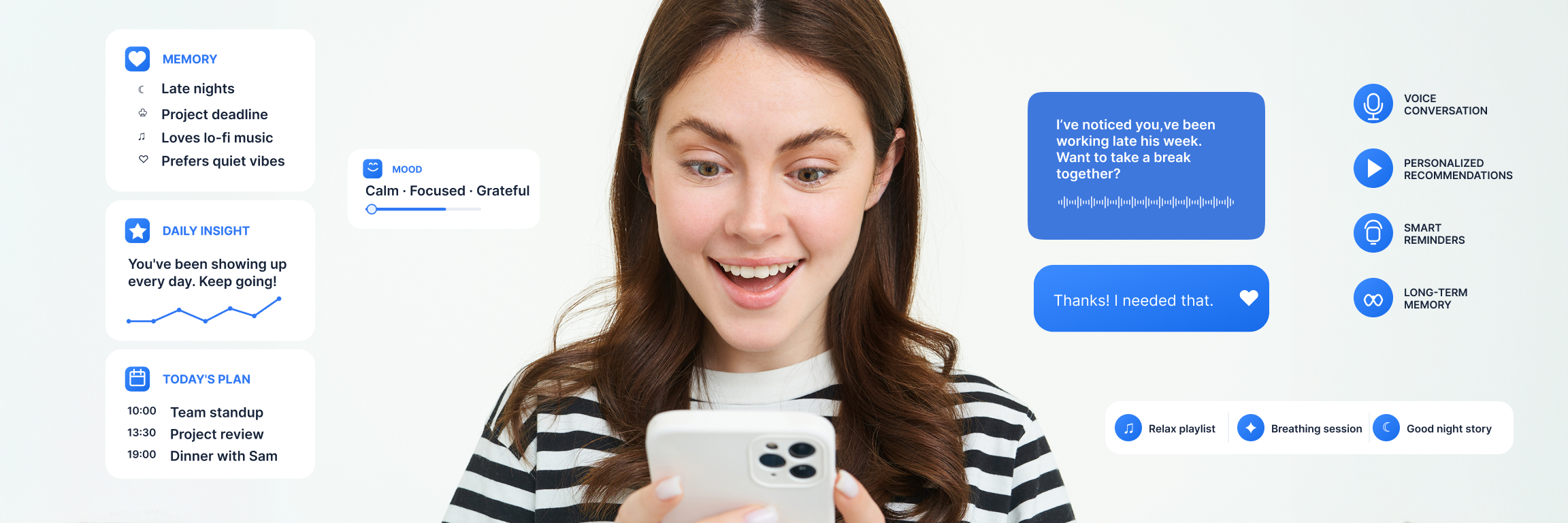
Summio App Case Study:
We used Flutter to build the Summio app with a focus on performance, smooth interactions, and scalable architecture.
2. Build Small, Reusable Widgets
Large widget files quickly become difficult to understand, debug, and maintain.
Instead of placing hundreds of lines of UI inside a single screen, divide your interface into reusable components such as custom buttons, cards, headers, dialogs, and forms.
Rather than creating one massive screen widget, compose your UI from smaller widgets that each serve a single responsibility.
Benefits
- Cleaner codebase
- Easier debugging
- Better collaboration within teams
- Improved code reusability
- Simplified testing
- Faster feature development
Expert Insight
Flutter advocate Matt Carroll has frequently highlighted widget composition as one of Flutter's greatest strengths. Experienced Flutter developers recommend creating small, focused widgets because they improve readability, encourage reuse, and make applications easier to scale over time.
3. Use ListView.builder() for Dynamic Lists
Displaying hundreds of widgets inside a Column forces Flutter to build every widget immediately, even those that aren't visible on the screen.
Instead, use ListView.builder(), which lazily creates only the items currently visible to the user.
ListView.builder(
itemCount: products.length,
itemBuilder: (context, index) {
return ProductCard(
product: products[index],
);
},
);
Why developers prefer it
- Lower memory usage
- Smoother scrolling
- Faster rendering
- Better performance on low-end devices
- Perfect for dynamic APIs and databases
Expert Insight
Flutter's performance documentation consistently recommends lazy loading for long lists. Senior Flutter engineers favor ListView.builder() because it minimizes unnecessary widget creation, resulting in smoother scrolling and improved memory efficiency.
In the NotePet app, dynamic data such as pets, vaccinations, appointments, tasks, and records can grow as users add more information. Using ListView.builder() allows these items to be created efficiently as they become visible, helping maintain smooth scrolling and better performance.
You can explore the project here: NotePet – AitchSoft Work
4. Follow a Clean Project Structure
A clean folder structure becomes increasingly important as your Flutter application grows.
Separating business logic from the UI helps developers locate files quickly, improves collaboration, and reduces technical debt.
A commonly used project structure looks like this:
lib/
├── models/
├── services/
├── repositories/
├── providers/
├── screens/
├── widgets/
├── utils/
├── constants/
└── main.dart
Benefits
- Easier navigation
- Better scalability
- Improved maintainability
- Faster onboarding for new developers
- Cleaner separation of concerns
Expert Insight
Software engineer Robert C. Martin (Uncle Bob)popularized Clean Architecture and the principle of separation of concerns. Although these ideas aren't Flutter-specific, they are widely adopted across Flutter projects because they help teams build applications that remain maintainable as they grow in complexity.
5. Take Advantage of Hot Reload
Hot Reload remains one of Flutter's biggest productivity advantages.
Instead of restarting your application after every UI change, Hot Reload instantly refreshes the interface while preserving much of the application's current state.
It preserves:
- Current screen
- Navigation stack
- Form values
- Most application state
- Active debugging session
This dramatically shortens the feedback loop during development.
Expert Insight
Flutter engineers regularly describe Hot Reload as one of the framework's defining features. It enables rapid experimentation, faster debugging, and significantly shorter development cycles compared to many traditional mobile frameworks.
6. Optimize Images and Assets
Images are often one of the largest contributors to application size and loading time.
Optimizing assets early helps improve startup speed, scrolling performance, and overall user experience.
Best practices
- Compress images before adding them
- Prefer WebP where supported
- Cache network images
- Specify image dimensions
- Remove unused assets
- Use SVG icons whenever appropriate
Benefits
- Faster loading times
- Reduced bandwidth usage
- Smaller application size
- Better user experience
- Improved rendering performance
Expert Insight
Google's Android performance guidance consistently identifies oversized images as a common source of slow applications. Experienced Flutter developers recommend treating asset optimization as an ongoing practice rather than a final polishing step.
7. Choose the Right State Management Solution
As applications grow, managing state efficiently becomes essential.
Flutter offers several excellent state management options, each suited to different project requirements.
Popular choices include:
- Provider
- Riverpod
- Bloc
- Cubit
- GetX
There is no universal "best" solution. The ideal choice depends on your application's complexity, your team's experience, and your long-term maintenance goals.
Expert Insight
Remi Rousselet, the creator of Provider and Riverpod, has repeatedly emphasized that consistency matters more than choosing the "perfect" library. A well-understood and consistently applied state management approach generally leads to better maintainability than frequently switching between different solutions.
"To ensure good maintainability of your code, here is a list of good practices you should follow when using Riverpod."
Reference: Riverpod Official Documentation – DO/DON'T.
Example from the HobbySwap App
In the HobbySwap app, we use Provider for state management to keep application state organized and efficiently update the UI.
HobbySwap includes features such as personalized feeds, interactive profiles, skill sharing, chat, mini-games, and location-based discovery. With Provider, different parts of the application can access and respond to state changes without unnecessarily rebuilding unrelated widgets.
This approach helps keep the codebase scalable, maintainable, and easier to manage as the application grows.
8. Use Flutter DevTools Regularly
Performance optimization should be based on measurement, not assumptions.
Flutter DevTools provides a comprehensive suite of profiling tools that help developers understand exactly how their applications behave.
Key features include:
- Widget Inspector
- Memory Profiler
- CPU Profiler
- Network Inspector
- Performance Timeline
- Layout Explorer
Regular profiling helps detect rendering bottlenecks, excessive widget rebuilds, memory leaks, and inefficient layouts before they impact users.
Expert Insight
The Flutter engineering team encourages developers to profile applications throughout development instead of waiting until the end of a project. Data-driven optimization produces more reliable performance improvements than guesswork.
Final Thoughts
Writing great Flutter applications involves far more than simply making features work. High-quality Flutter apps prioritize performance, maintainability, scalability, and an excellent developer experience.
By consistently applying these eight best practices—using const widgets, composing reusable UI, implementing lazy loading, organizing your project structure, leveraging Hot Reload, optimizing assets, choosing an appropriate state management solution, and regularly profiling with Flutter DevTools—you'll build applications that are easier to maintain and deliver a smoother experience for users.
"Any fool can write code that a computer can understand. Good programmers write code that humans can understand." — Martin Fowler
As Flutter continues to evolve in 2026, these engineering principles remain relevant for projects of every size, from personal apps to enterprise-scale products.
Investing in these practices today will save countless hours of debugging and refactoring tomorrow.
Frequently Asked Questions (FAQs)
Is Flutter still worth learning in 2026?
Yes. Flutter continues to be one of the leading cross-platform frameworks for building applications across Android, iOS, Web, desktop, and embedded platforms with a single codebase.
Which Flutter state management solution is best?
There is no single best option. Riverpod, Provider, Bloc, Cubit, and GetX are all capable solutions. Choose the one that best matches your project's complexity and your team's expertise.
Does using const really improve Flutter performance?
Yes. const widgets reduce unnecessary widget recreation during rebuilds, improving rendering efficiency and lowering CPU usage—especially in larger applications.
Why should I use Flutter DevTools?
Flutter DevTools helps you identify performance bottlenecks, memory issues, unnecessary widget rebuilds, and layout problems using real profiling data, allowing you to optimize your application more effectively.
Can Flutter apps scale for enterprise applications?
Absolutely. With a well-structured architecture, appropriate state management, automated testing, and performance optimization, Flutter is widely used for enterprise-grade applications by organizations around the world.