 services@aitchsoft.com
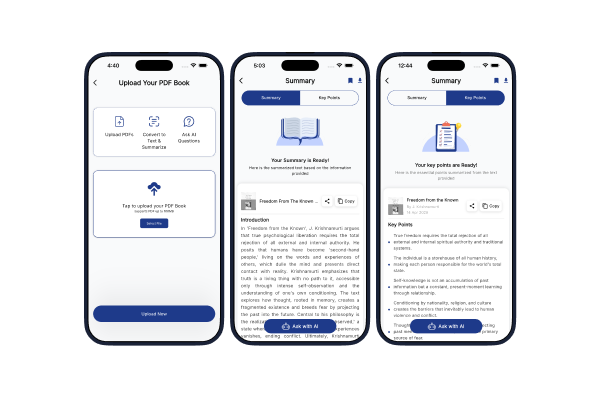
Summio: Book Summary & Chat
Turn Documents into Clear Insights

Mobile App
Extract Large PDF to Text
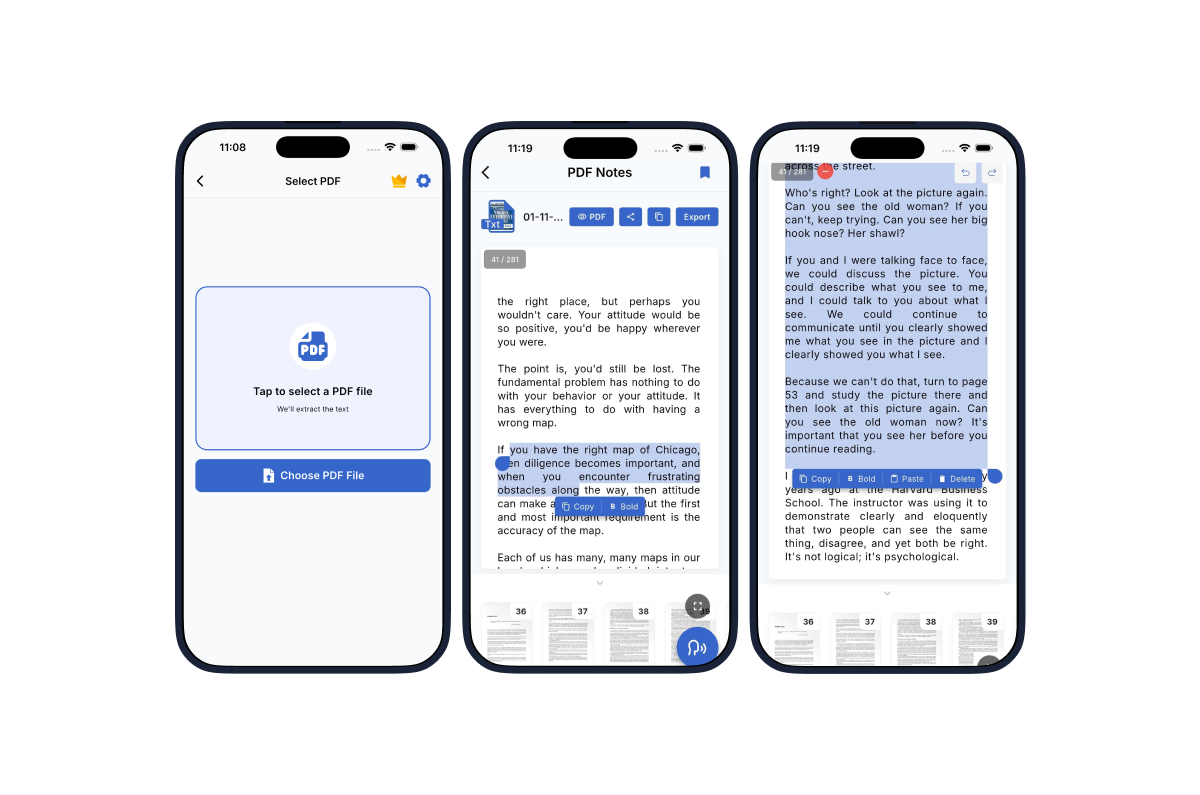
We work with PDFs almost every day. Books, research papers, reports, scanned documents, invoices, and business files are all part of our daily work. But working with them isn't always easy. When a PDF is scanned or contains image-based pages, simple things like copying text, editing content, or searching through a document can become frustrating. For large documents, the process becomes even more time-consuming. Many users end up manually typing content or using complicated tools just to get the text they need. That's where Textify comes in. We built Textify to make PDF text extraction simple. It uses OCR technology to convert scanned and regular PDFs into clean, editable text, so users can spend less time dealing with their documents and more time using the information inside them.
Our goal with Textify was simple: make converting a PDF to text feel effortless. We designed the experience around a straightforward workflow. Users select a PDF, let Textify process it, and then get the extracted text ready to read and edit. We also wanted the app to work well with the types of documents people actually deal with, including large PDFs, books, research papers, and scanned documents. From the beginning, we focused on making the experience fast, easy to understand, and reliable. Every part of the product, from file selection and conversion to editing and exporting, was designed to remove unnecessary steps.
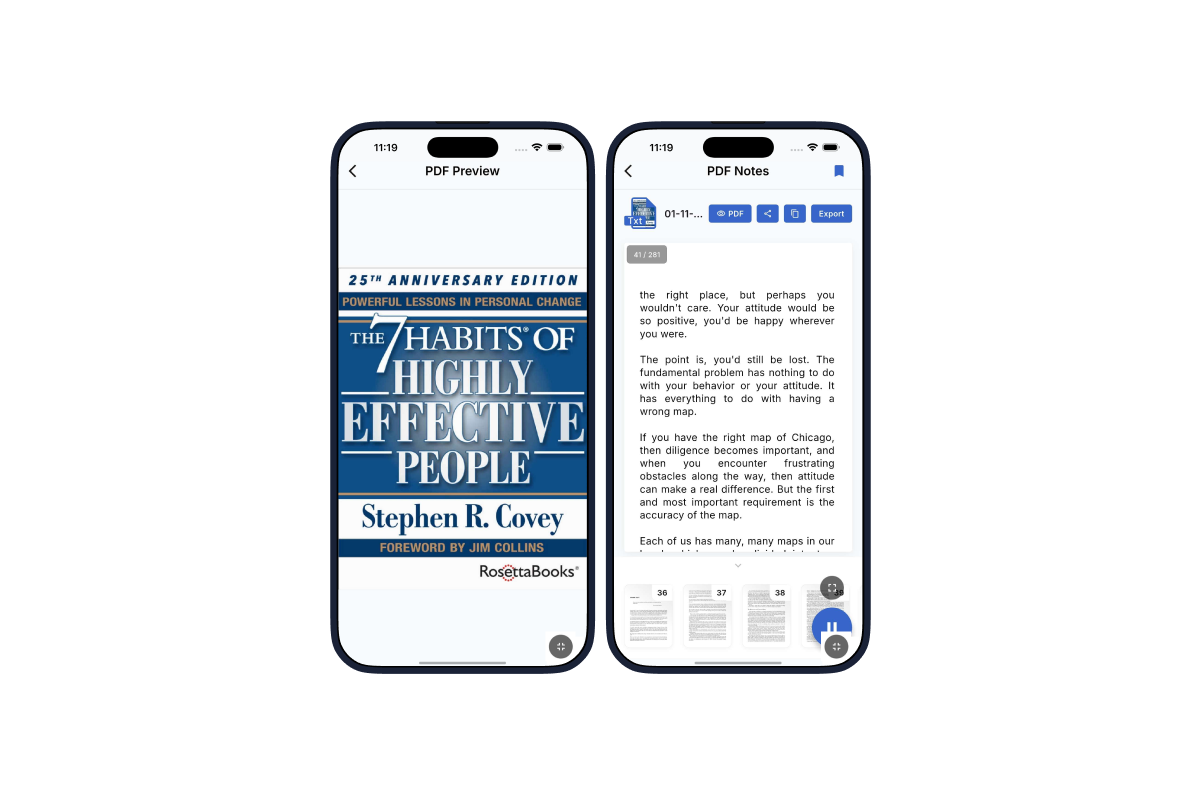
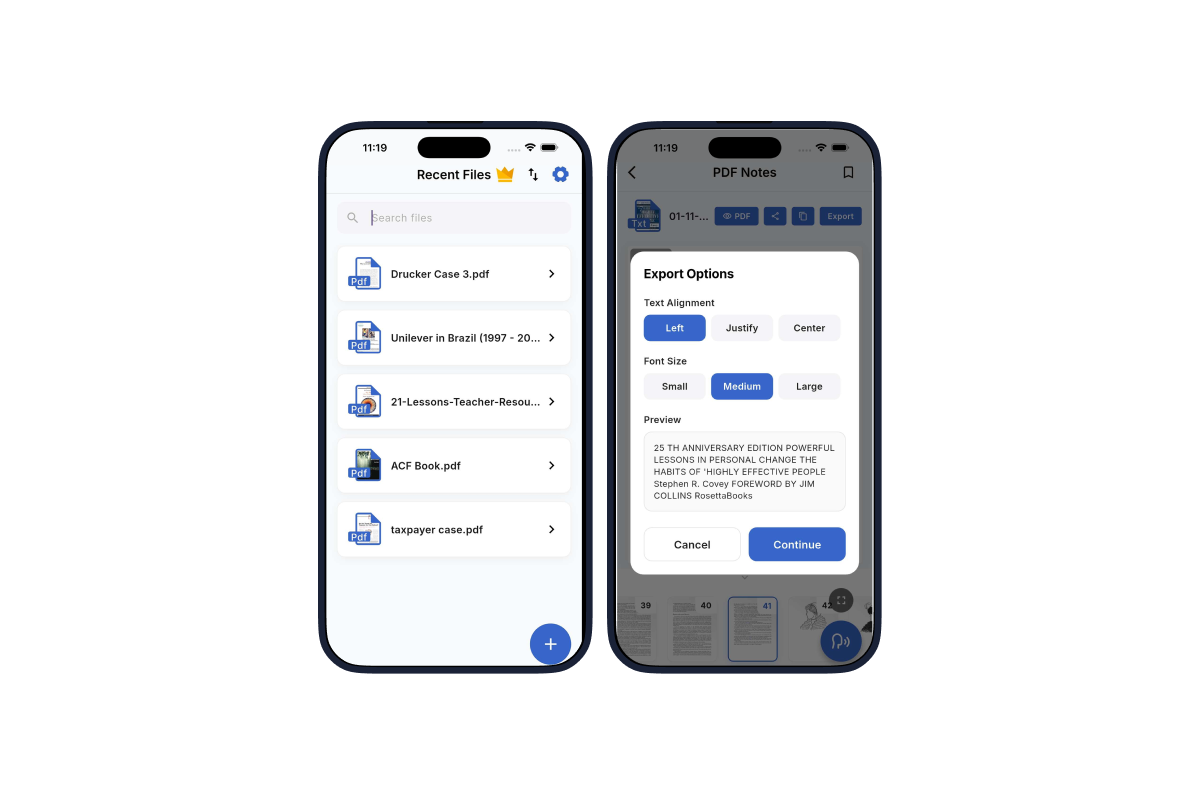
1. PDF to Text Conversion: Textify converts PDFs into clean, readable, and editable text. It works with both regular PDFs and scanned documents. 2. OCR for Scanned PDFs: Scanned PDFs can be difficult to work with because their content is essentially stored as images. Textify uses OCR to recognize that content and turn it into usable text. 3. Support for Large Documents: Whether it's a short document or a lengthy book or research paper, Textify is built to handle large PDFs while keeping the conversion experience smooth. 4. Edit Extracted Text: After conversion, users can review the extracted content and make changes directly inside the app instead of starting over in another tool. 5. Export as PDF or TXT: Once the text is ready, users can export their work as a PDF or TXT file and save it for later use. 6. Easy File Management: We kept file management simple so users can quickly find their documents, open previous conversions, and continue working without unnecessary complexity. 7. Live Conversion Progress: For larger documents, users can see the conversion progress along with document thumbnails, making it clear that the file is being processed. 8. No Sign Up & Login Required: We wanted users to get started immediately. Textify doesn't require users to create an account or go through a complicated onboarding process before converting a PDF. 9. Listen to Any Page: Select any converted PDF page and listen to its text using the speech icon with an on/off toggle
With Textify, the process is simple: Upload → Convert → Edit → Export What could previously take hours of manual work can now be handled in a few straightforward steps. Textify is now available on the App Store, helping students, researchers, professionals, and everyday users get more out of their PDF documents. For AitchSoft, Textify is another example of how we turn everyday problems into simple digital products. From understanding the problem to designing the experience, integrating OCR technology, and bringing the product to the App Store and Playstore, we built Textify end to end. "Textify makes the content inside your PDFs easier to read, edit, and use."

These are the links of our app on different platforms.



Flutter

Firebase

We turn your ideas into digital solutions that drive real growth.